For pour-over drinkers · out now on iPhone

Scan the bag.
Follow the
pour.

1518 reads the label, builds the recipe around it, and counts you through every pour — then remembers what you tasted.

Download on the App Store

iPhone · Free to download · 1518 Plus optional
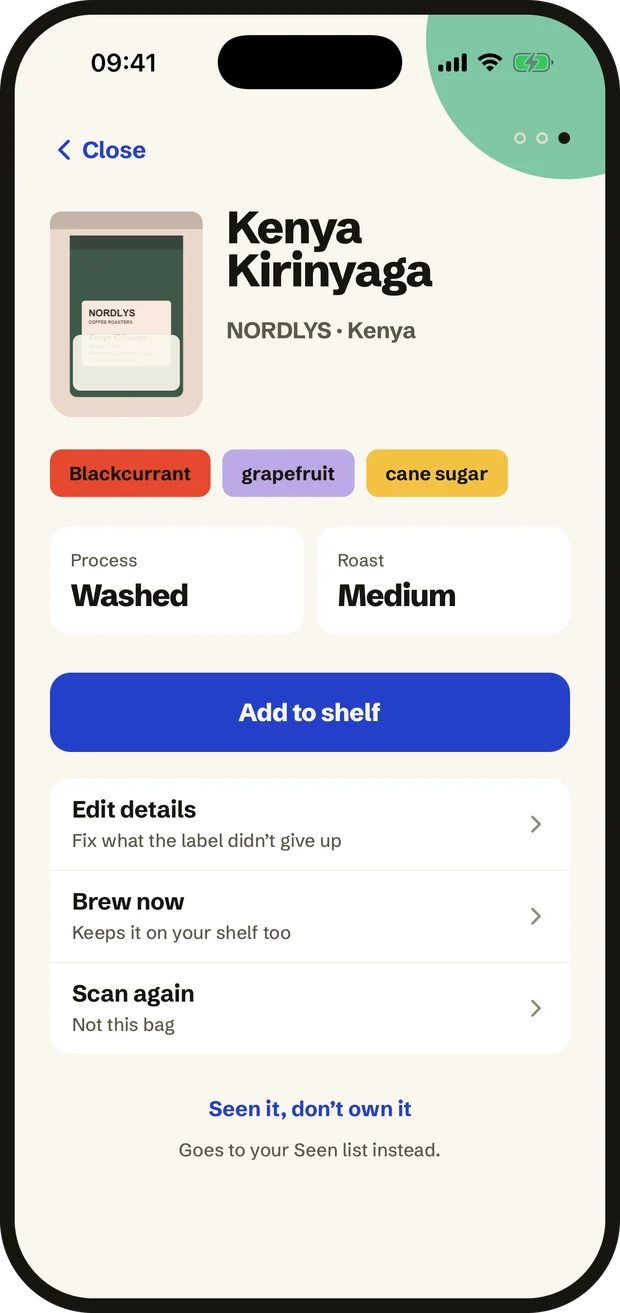
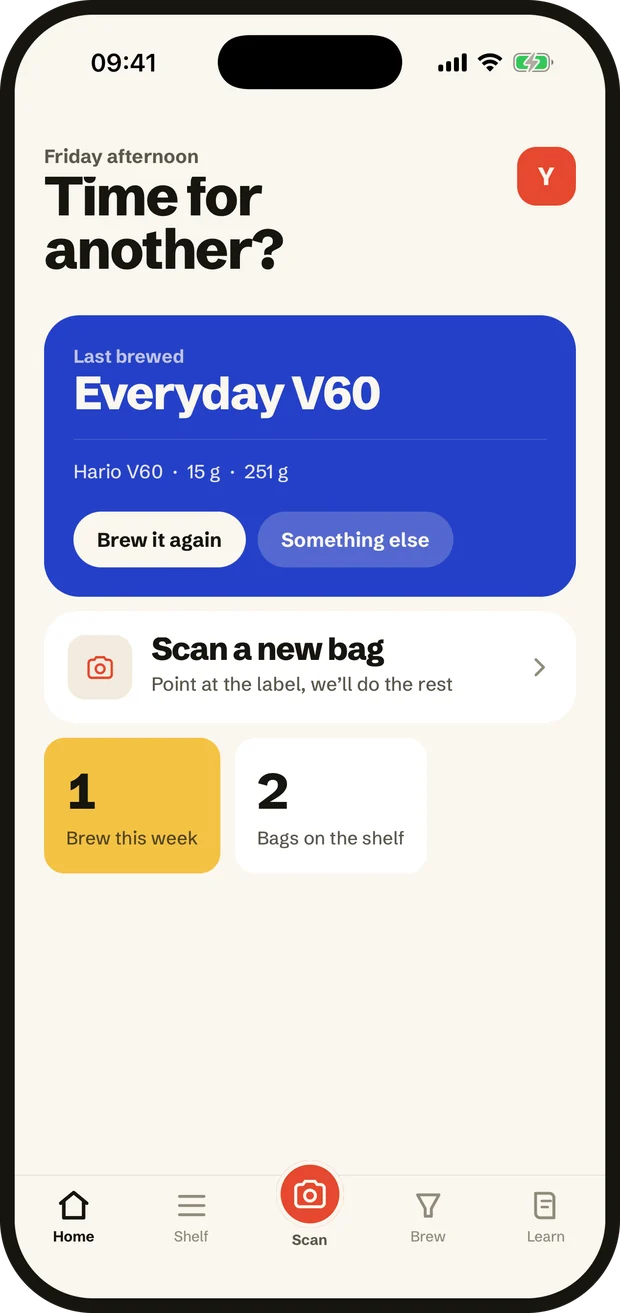
The 1518 app after a scan: a coffee’s name, roaster, tasting notes, process and roast. The 1518 home screen: the last brew, a button to scan a new bag, and two counts.
15:18

The last minute of the day you can have a coffee and still sleep like a person.

It doubles as the doses everything starts from: 15 g for filter, 18 for espresso. We only do the first one.

How it works

Five steps, and two
of them are drinking
and doing nothing.

01

Scan the bag

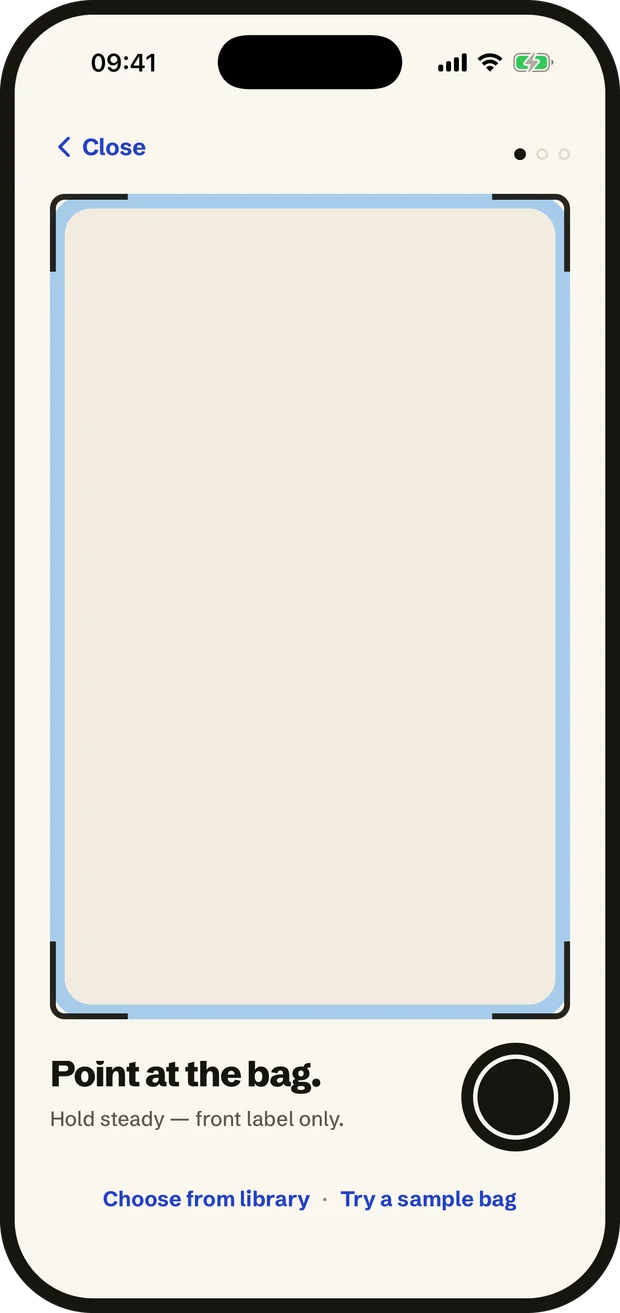
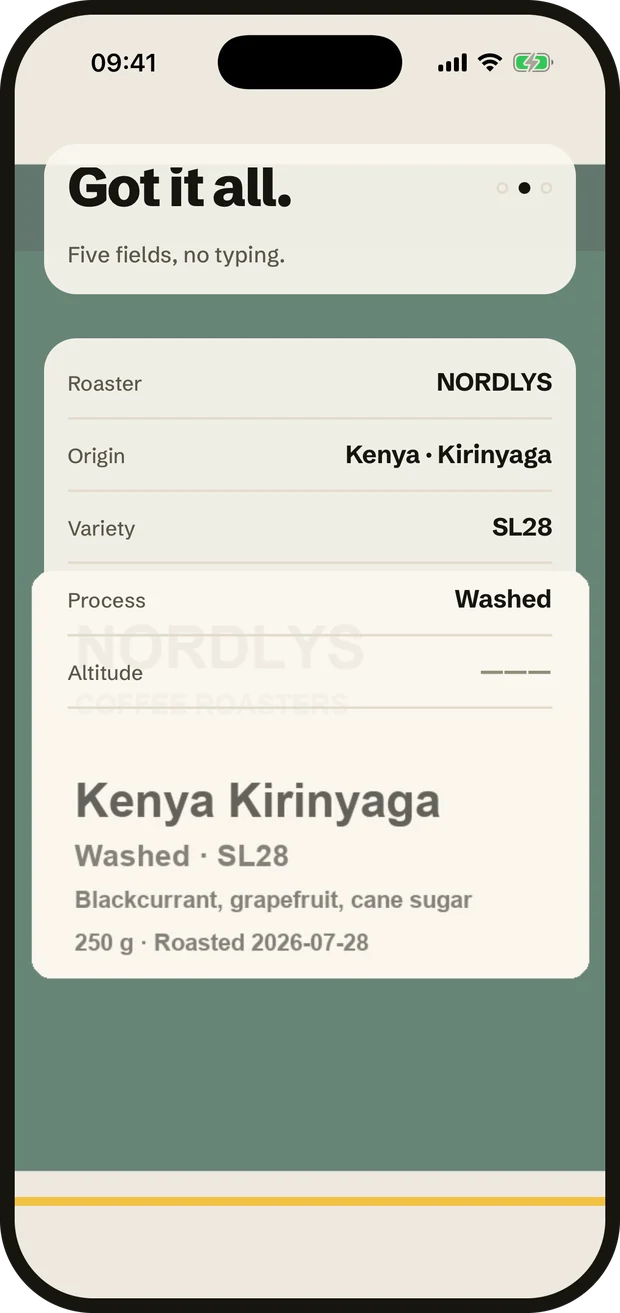
Point at the front label. Roaster, producer, variety and process land on your shelf in about four seconds.

The scanning viewfinder, framing a coffee bag.
02

Take a recipe

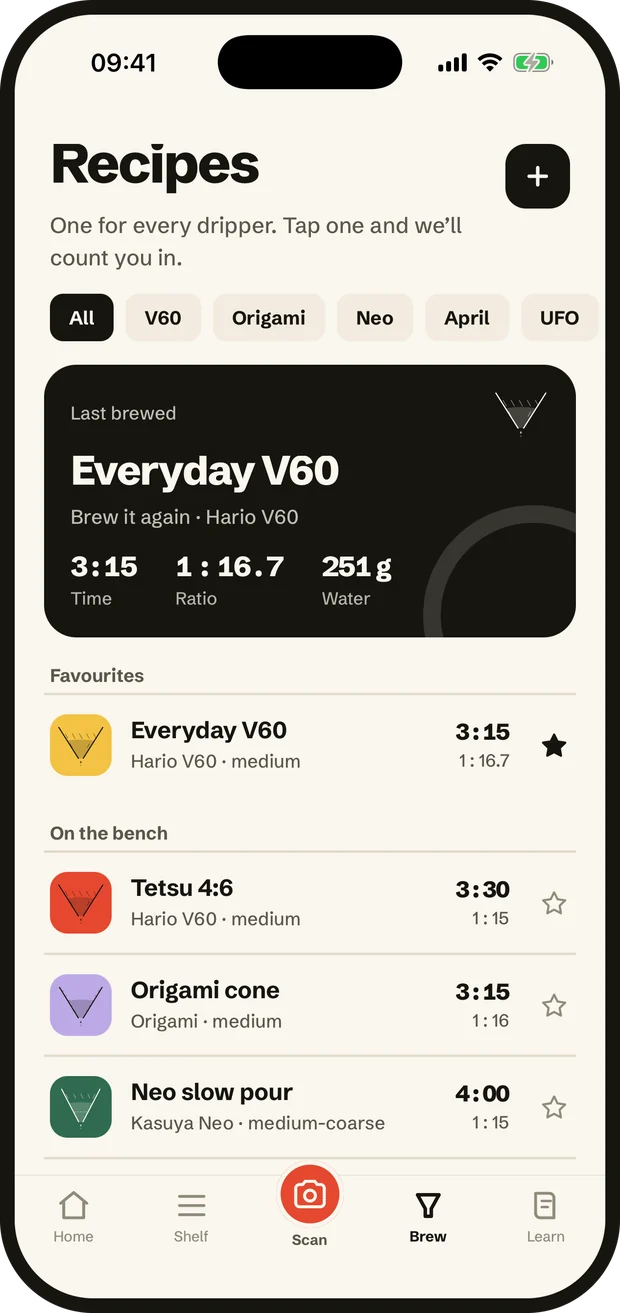
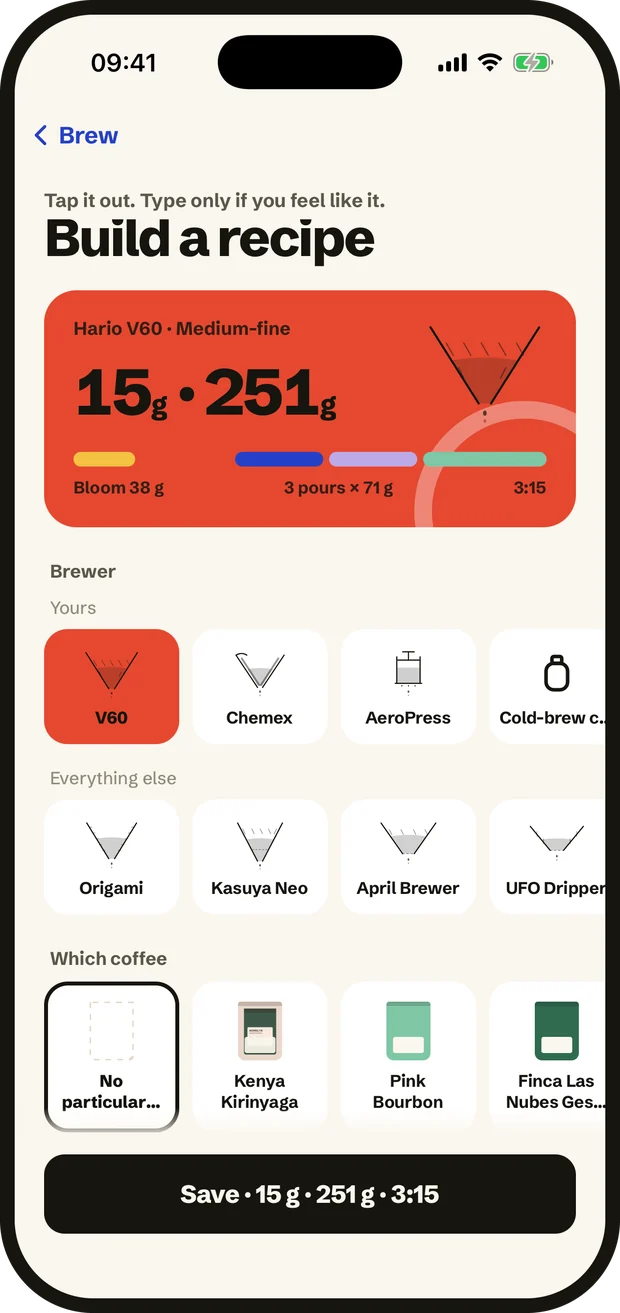
One for every dripper we know — or build your own by tapping and dragging, no typing.

The recipe list, one recipe per brewer.
03

Brew with the clock

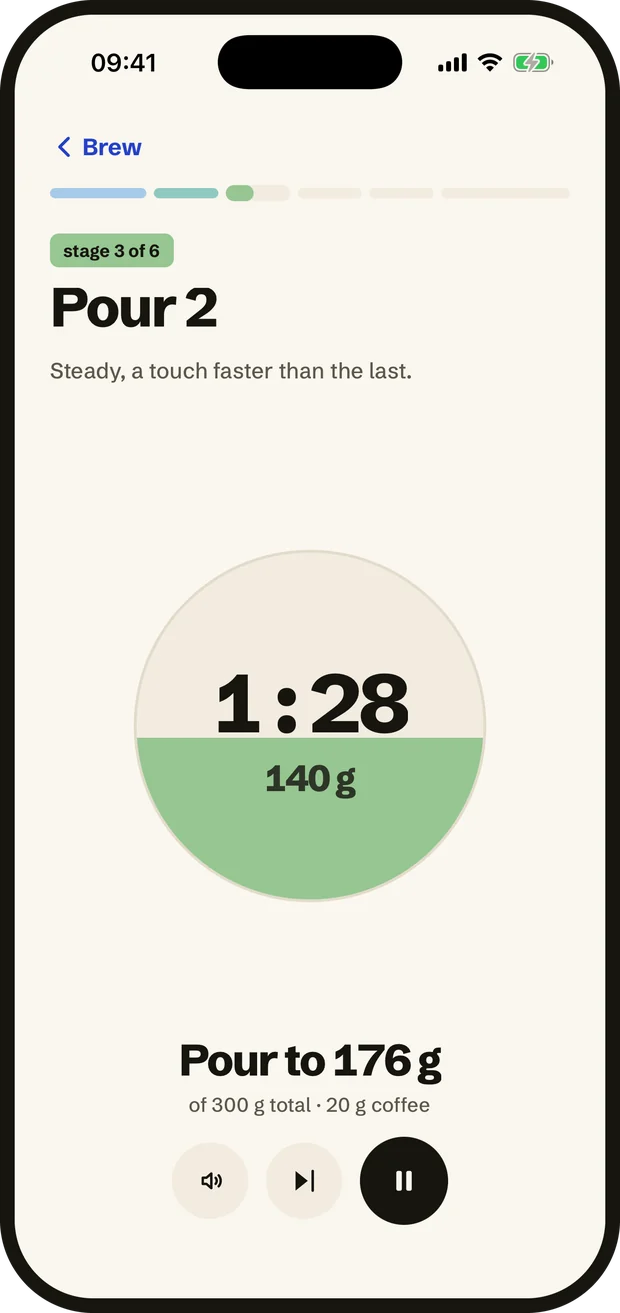
A timer that tells you when to pour, with a chime so you can watch the kettle instead of the screen.

The pour timer mid-brew, water filling the circle.
04

Say how it tasted

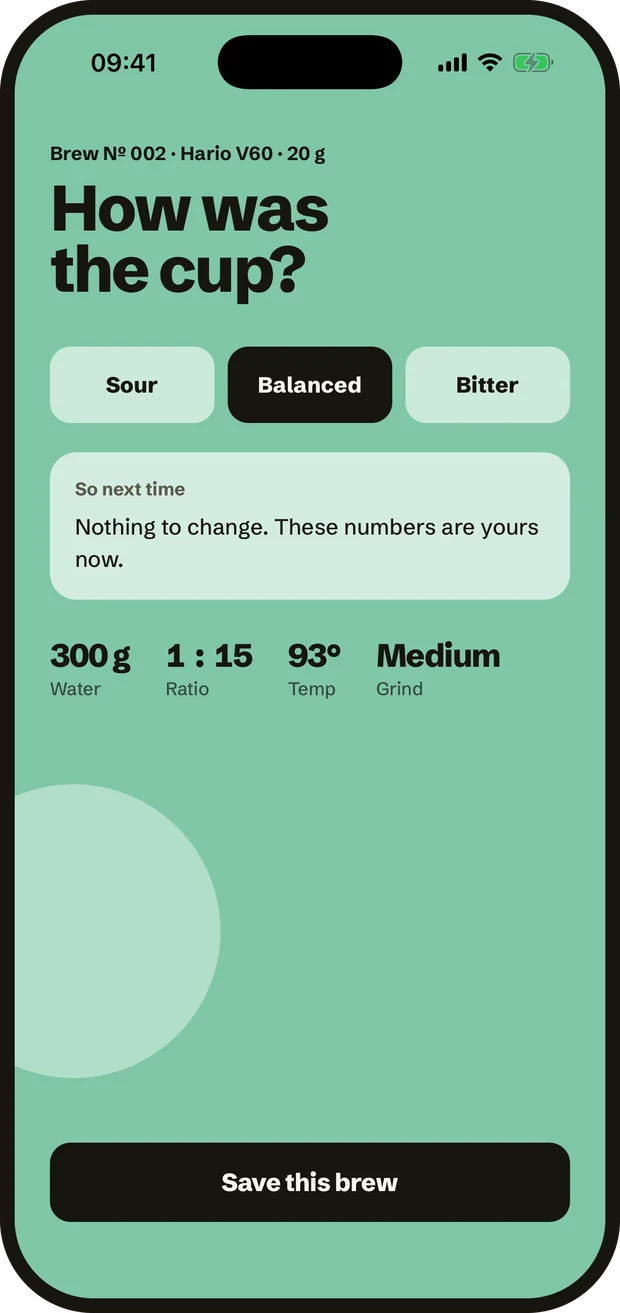
Sour, balanced or bitter. Three taps, and the next brew starts from a better place.

Rating a brew as sour, balanced or bitter.
05

Watch the bag go down

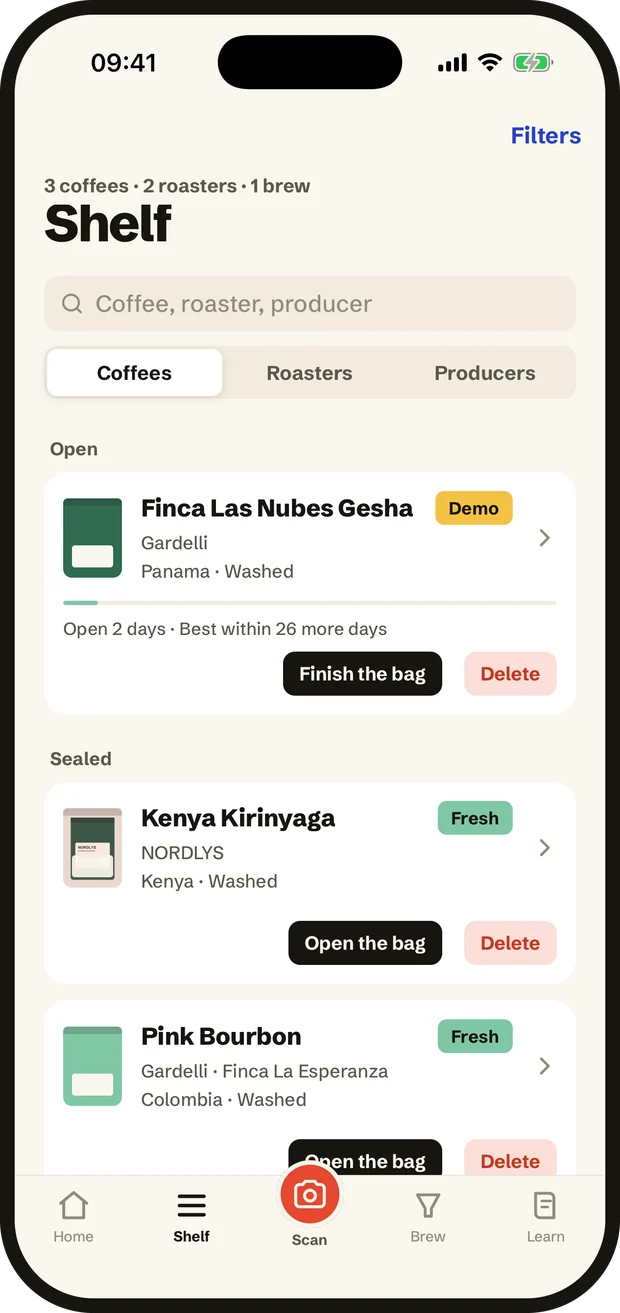
Every scan joins your shelf with brews logged and brews left, so you know what is running out before it does.

The shelf, with open and sealed bags.

Scanning

It reads the
label so you
don’t type.

Point the camera at the front of the bag. Roaster, producer, origin, variety, process and altitude land on your shelf in about four seconds.

  • Works on any specialty bag, in any language
  • Adds the roaster and the producer as pages, not strings
  • Remembers how many brews are left in the bag
The app reading a label, the bag photo behind the fields it has filled in. The finished scan, ready to add to the shelf.

The pour

A timer that
tells you when
to pour.

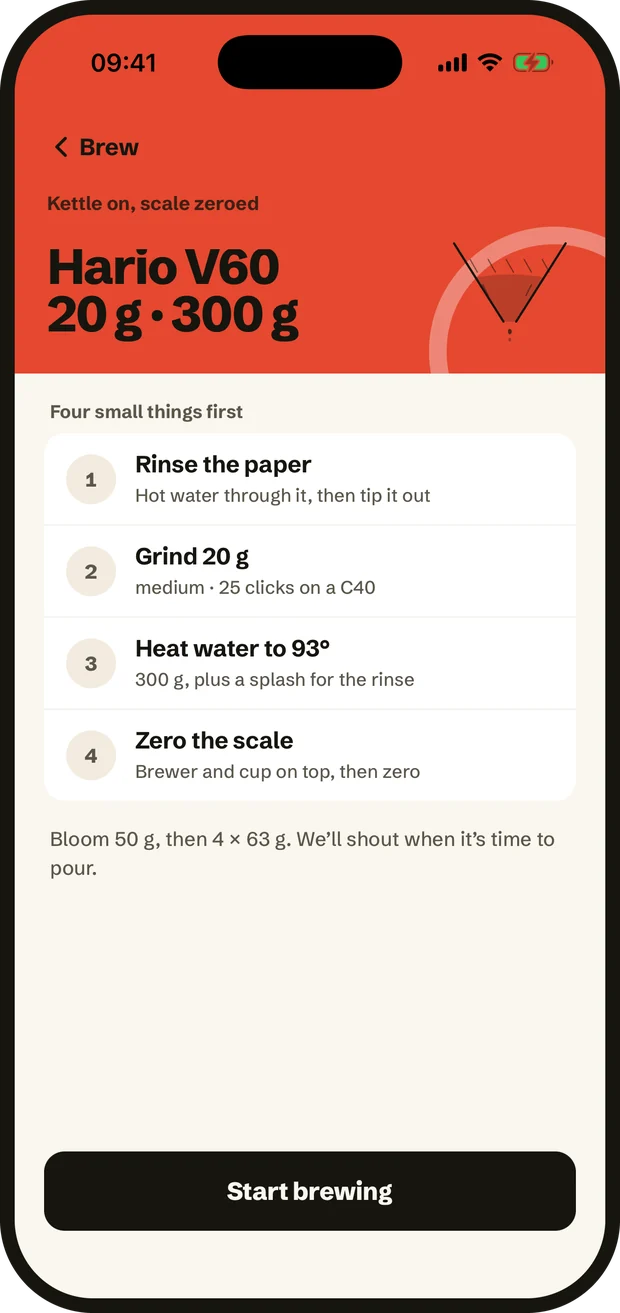
Every stage has its own colour, its own target weight and its own gentle chime — so you can watch the kettle instead of the screen.

  • Counts you in five seconds before each pour
  • Grams in the cup, live, not just elapsed time
  • Skip, pause and mute without losing the brew
A recipe card: the four things to do before the kettle goes on. The pour timer, showing the weight to pour to.

Your own recipes

Build a recipe
without typing
a thing.

Tap the dose, pick a ratio, drag the grind. The pour plan rebuilds as you go, and the timer runs whatever you land on.

  • Ratio and temperature in plain language
  • Grind as a slider: slower and sweeter, or faster and lighter
  • Save it, and it becomes the default for that brewer
The recipe builder: dose, brewer and coffee, all chosen by tapping. The saved recipe, back on the bench.

What a scan gives you

Everything the
label didn’t have
room for.

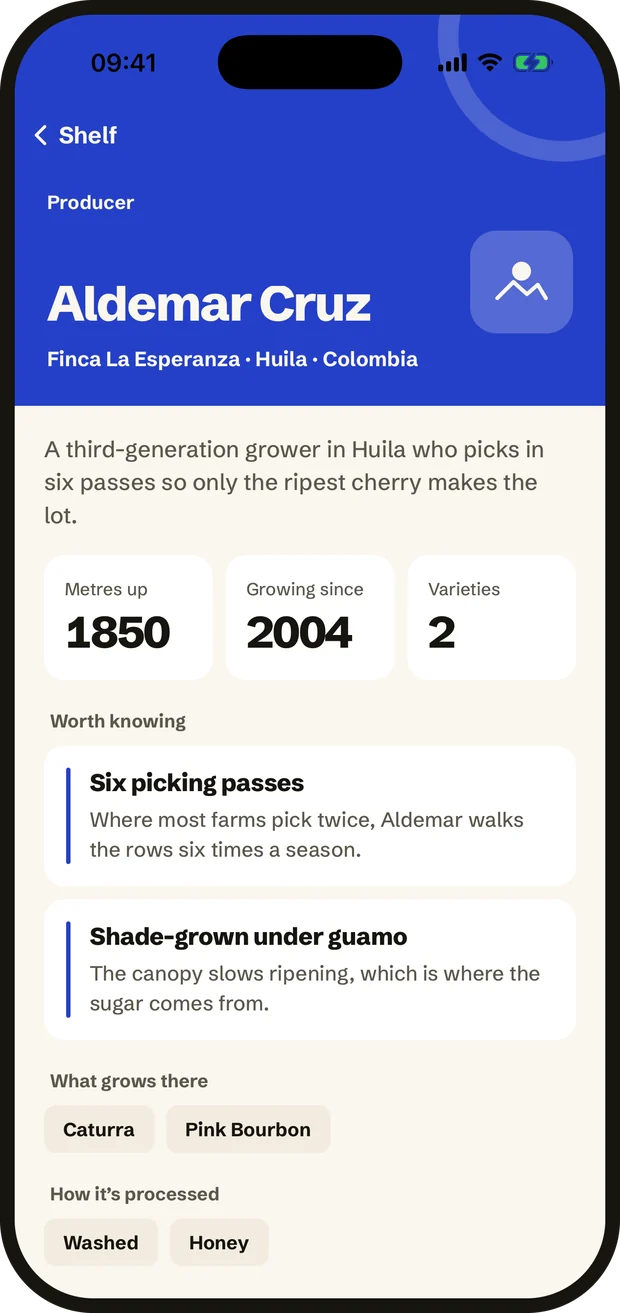
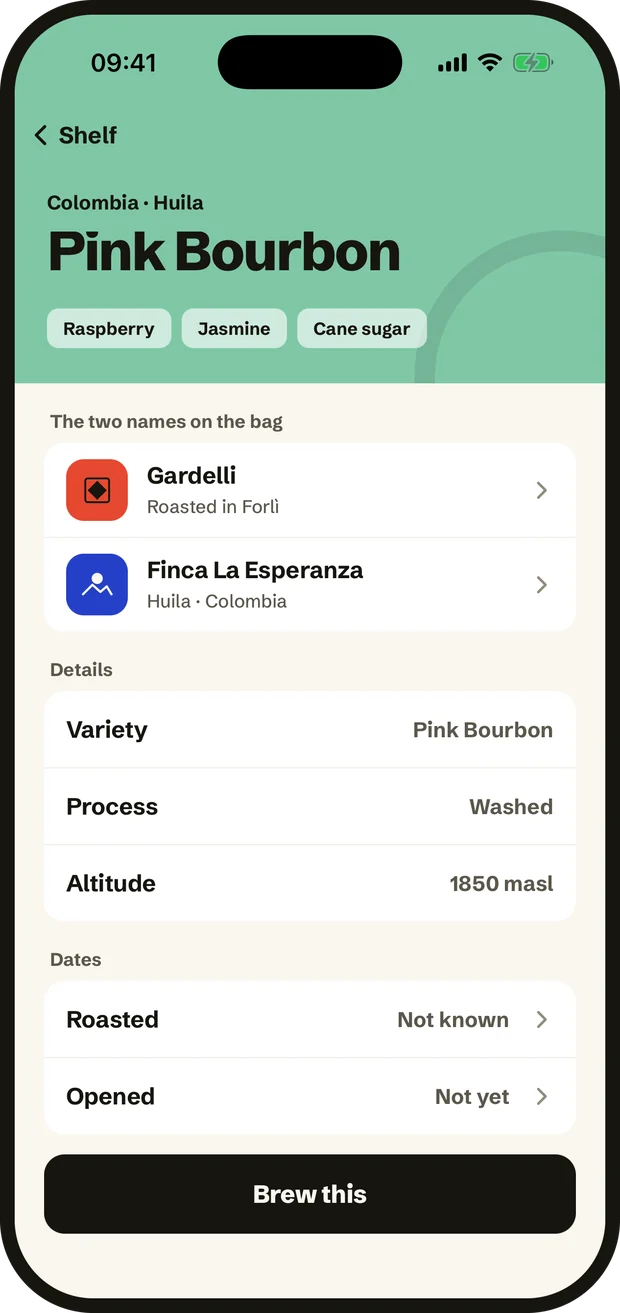
Pink Bourbon, washed, thirty-six hours in tank, 1850 metres. Then the farm it came from and the roastery that finished it — both a tap away, with their other lots underneath.

  • Variety, process, altitude and harvest, filled in for you
  • Tap a name to see the farm or the roastery behind it
  • Your brews on that bag, and what you said about each one
A producer page: the grower, the farm, the altitude and what is worth knowing. A coffee card naming both the roaster and the producer.

Guides, built in

Everything between
the bag and the cup,
in cross-section.

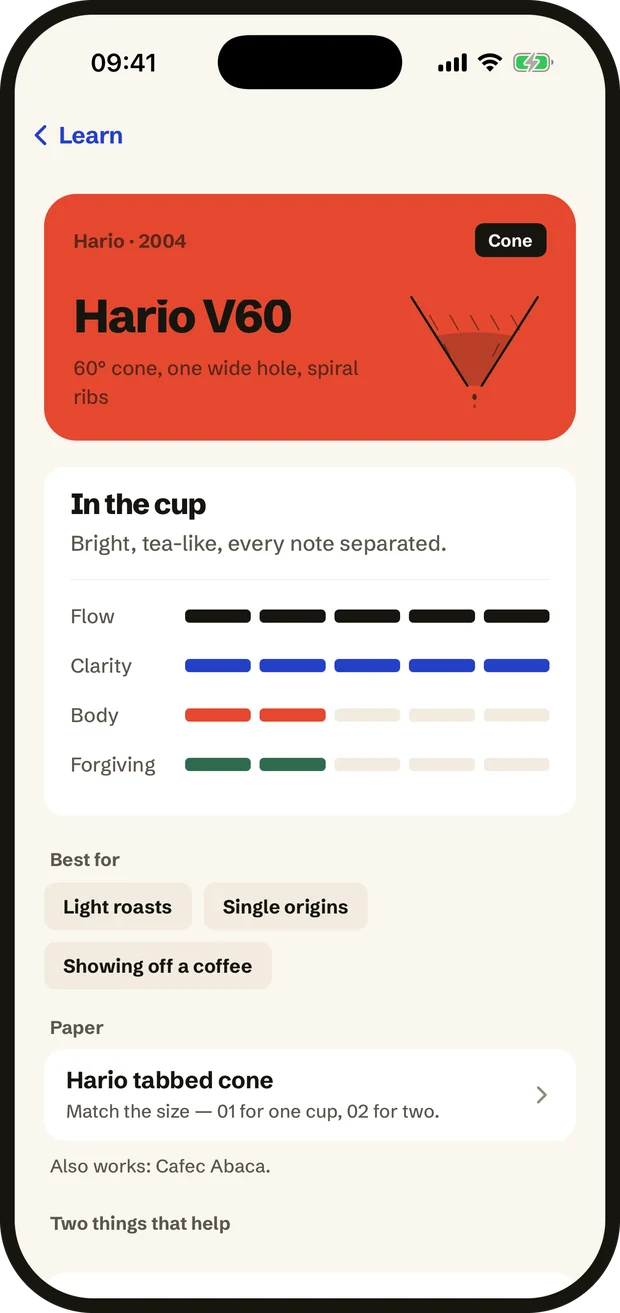
You can’t fix what you can’t picture — so every brewer, paper and burr set is drawn as a section through the middle, with the drain where it actually is.

Brewers
Ten shapes, ten cups
Papers
Thickness sets the pace
Grinders
The upgrade you can taste
Taste
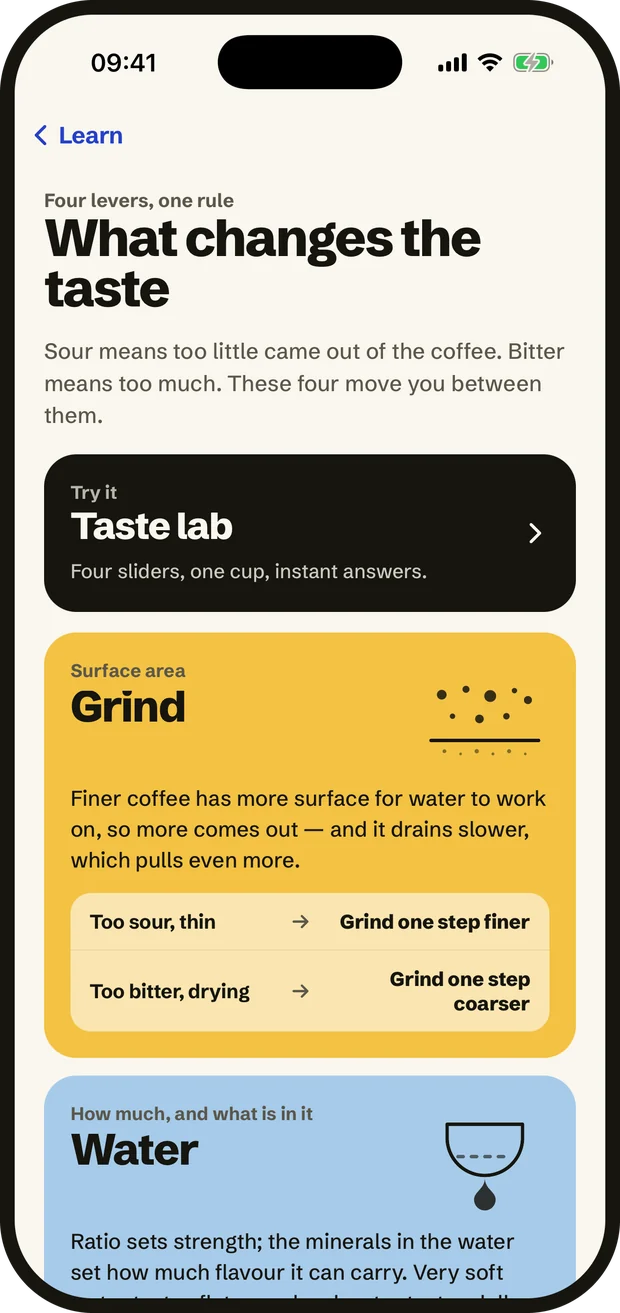
Why it went sour, and the fix
A brewer guide: the V60 in cross-section, with how it drains. The taste guide: four levers between sour and bitter.

Your shelf

Your shelf keeps
count so you
don’t have to.

Search and filter what you have open — by roaster, by producer, by process, or by what is still fresh. Ratings feed the grind suggestion for the next bag.

  • Brews logged and brews left, per bag
  • Filter by roaster, producer, process or freshness
  • The numbers that worked, saved with the coffee
The shelf: open bags first, then sealed, each with how long it has been open. One bag in full: both names, the details and the dates.

Brighter
from here.

Pour-over first, cold brew included. Free to download — scan your first bag tonight.

Download on the App Store

iPhone · Free to download · 1518 Plus optional